 Anthony
The Ribeye Method for Making a Business Video in Under 10 Minutes
You can make a short video for your business in under 10 minutes if you shoot first and edit second. Take 30 to 100 phone photos and a few short clips of real work, drop them into a template editor, put one short line of text on each step, and export a vertical cut for YouTube Shorts and Instagram Reels. I first did this in 2017 with a ribeye dinner for my family, and the same method still works in October 2026. The tools just got faster.
Most business owners never post video because they think it takes a crew, a script and a weekend. It does not. It takes a phone, a plan for the shots, and the nerve to post something that is good instead of perfect.
Key points
- Shoot the whole job, start to finish, before you open an editor.
- Use a template so the editing is just dropping photos into slots.
- One step, one photo, one short line of text.
- Make it vertical first. Shorts and Reels can both run up to three minutes now.
- Show real work. Real photos beat stock every time.
What You'll Learn
The Ribeye Dinner That Taught Me This
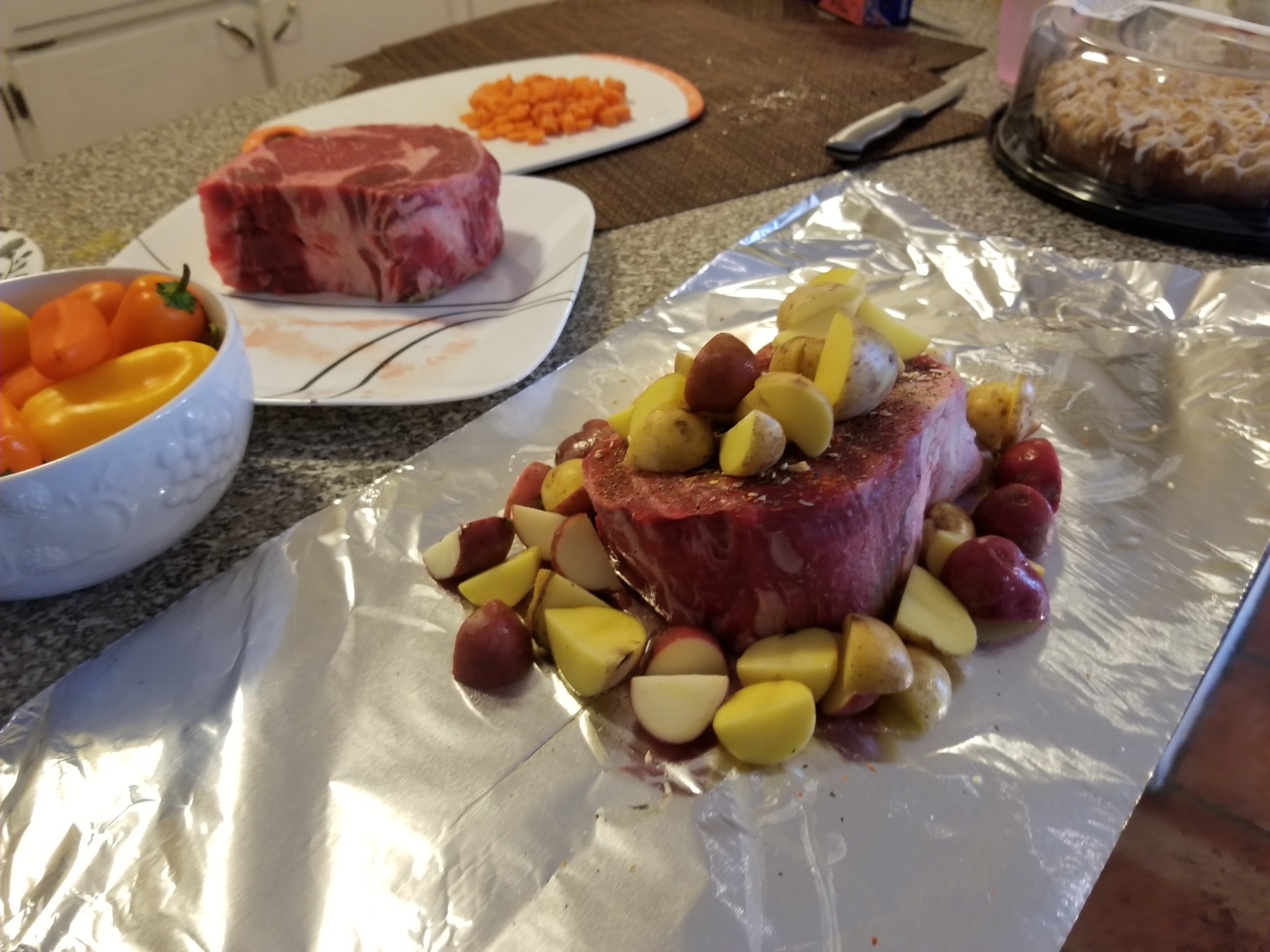
On October 14, 2017, I made a steak dinner for my family of five and turned it into a recipe video the same night. The photo at the top of this page is from that dinner. A ribeye sits on foil with baby potatoes, and the sweet peppers and carrots wait on the counter.
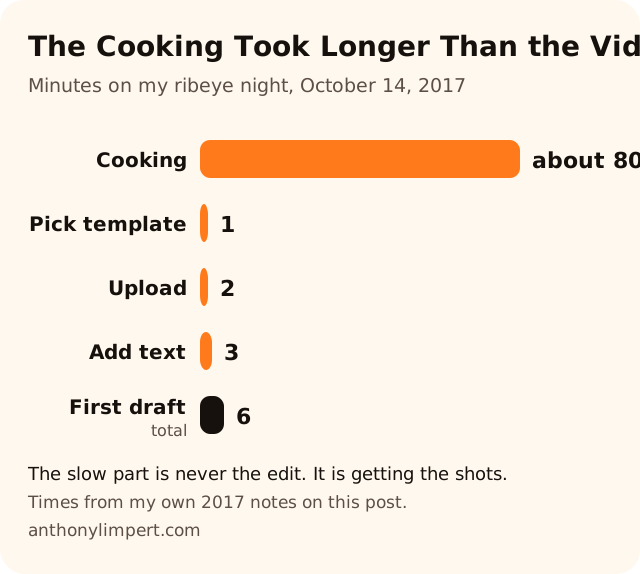
I took around 100 photos and a few short clips while I cooked. Then I opened Animoto, a template video editor. The time broke down like this.
| Step | Time |
|---|---|
| Pick a storyboard template | 1 minute |
| Upload photos and clips | 2 minutes |
| Put text over each frame | 3 minutes |
| First draft done | 6 minutes |
After the first draft, I went back and gave a few frames more time on screen so people could read each step. The finished cut ran about one minute. That was the whole project.
What I learned that night still holds. The cooking took over an hour. The video took less than ten minutes. The slow part of a video is never the editing. It is getting the shots, and you get those while you work anyway.
The Ribeye Foil Oven Recipe
Since people still find this page for the steak, this is the recipe the way I made it.
What you need
- Two ribeye steaks
- One pound of baby potatoes
- Half a pound of sweet peppers
- A quarter pound of baby carrots
- Pepper jack cheese
- Salt, pepper and garlic salt
- Oregano and Italian seasoning
- Olive oil and butter
- Aluminum foil
How I made it
- Heat the oven to 400 degrees.
- Drop a couple tablespoons of olive oil on the steaks.
- Toss the vegetables with the seasonings.
- Wrap each steak on its own in foil with the vegetables around it.
- Bake. Mine reached medium rare at about 25 to 30 minutes. That is the shot in the video where you can hear the steaks sizzle.
- My family wanted theirs more well done, so we kept going. All told it was about an hour and twenty minutes.
Ovens and steaks vary. Use a meat thermometer and cook to the doneness you like.
Why Short Video Still Matters for a Local Business
In 2017, a short recipe video was a fun side project. In 2026 it is one of the cheapest ways to show a stranger that you are real.
This is what changed.
- YouTube Shorts can run up to three minutes. YouTube raised the cap for videos uploaded on or after October 15, 2024 (YouTube Help).
- Instagram Reels can run up to three minutes too. Adam Mosseri announced the change in January 2025, up from 90 seconds (Business Today, January 21, 2025).
- Meta made its own free editor. Instagram released Edits, a standalone video editing app, in April 2025 (Digital Music News, April 24, 2025).
So the platforms want more video from regular people, and they gave you free tools to make it. The businesses that win are the ones that actually post.
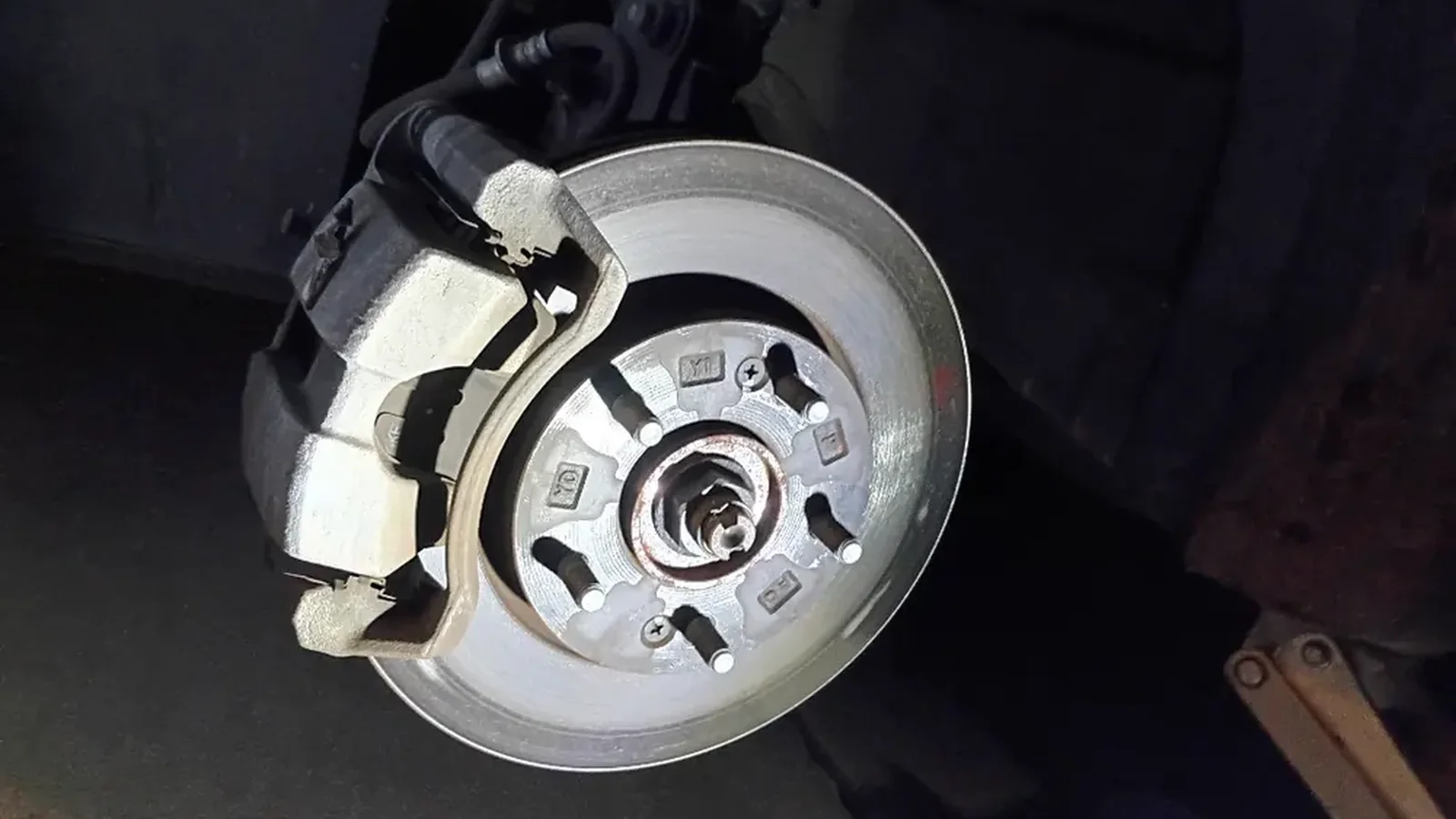
I see this at Supercanic, the auto repair company I started with Alaina Limpert. Customers want to see the work before they trust the shop. A 40 second clip of a real brake job tells them more than a paragraph on a service page. I still turn wrenches there, so a lot of those clips are just my phone propped on a toolbox.
The 10 Minute Method, Step by Step
Before You Start Shooting
Pick one job you do often. A steak dinner, a brake job, a bathroom tile repair, a lockout, a cake. Write the steps on a sticky note. Five to eight steps is plenty.
That note is your storyboard. Each step gets at least one photo and one short line of text.
While You Work
- Shoot every step, even the boring ones. You can cut later. You cannot go back for a shot you missed.
- Hold the phone vertical.
- Get close. The detail is what people stop for.
- Take a few three to five second clips with sound. A sizzle, a drill, a door unlocking. Sound makes people watch.
- Steady the phone. In 2017 I said I would use a stand next time. Use one. A cheap phone tripod fixes most shaky footage.
The Edit
- Open a template editor. Animoto, Canva, CapCut and Instagram's Edits all work for this. Pick one and learn it.
- Choose a vertical template.
- Drop your photos and clips into the slots in order.
- Put one short line on each frame. "Oil the steak." "Wrap in foil." "400 degrees." Short enough to read in two seconds.
- Give the text frames a little extra time. That was my one fix in 2017 and I still make it every time.
- Add your business name and phone number on the last frame.
Post It in Three Places
- YouTube Shorts
- Instagram Reels
- Your Google Business Profile, as a photo or video update
Then put the best one on the matching page of your website. A video sitting on the page for the service it shows does far more than one buried on a video page nobody visits.
What Makes a Business Video Actually Work
Real Beats Polished
Stock footage tells people nothing about you. Your own messy counter, your own truck, your own hands on the job tell them everything. I build sites for a living, and the ones that convert best use the owner's real photos. Every time.
One Video, One Job
Do not try to explain your whole business in one clip. Show one job, start to finish. Then make another one next week.
Say Who You Are and Where
End every video with your name, your city and how to reach you. A viewer who likes the clip should not have to hunt for your number.
Post Often, Not Perfect
The owner who posts one rough video every week beats the owner who plans one perfect video a year. Volume teaches you what works.
How Video Helps Your Search Rankings
Video does not rank a page by itself. What it does is keep people on the page longer, answer questions faster and show proof that you do the work.
Google also shows AI Overviews and AI Mode answers at the top of many searches now. Google says there is no special markup needed to show up in those (Google Search Central, AI features). The page just has to be indexed and eligible to show with a snippet. So the old rules still win. Clear answers, real proof, and a page Google can crawl. A short how to video on a page that answers the question in plain words checks every box.
If your pages are not getting indexed at all, start with my guide on how to get every page indexed. If your Google Business Profile is thin, the Google Business Profile playbook covers photos and posts in detail.
Want my new posts near the top when you search? Pick Anthony Limpert as a preferred source on Google and Google shows them to you more often in Top Stories.
Ask the Shop
How long should a business video be?
Most of mine run 30 to 60 seconds. YouTube Shorts and Instagram Reels both allow up to three minutes now, but short and complete beats long and slow. Show one job from start to finish and stop.
What is the easiest app to make a business video?
Any template editor works. Animoto, Canva, CapCut and Instagram's free Edits app all let you drop photos and clips into a template. Pick one and use it every week so it gets fast.
Do I need professional equipment?
No. A phone, a cheap tripod and good light are enough. I shot my first one in a home kitchen. Real photos of real work beat polished stock footage for a local business.
Can I put the same video on YouTube, Instagram and my website?
Yes. Shoot vertical, export once, and post it to Shorts, Reels and your Google Business Profile. Then add it to the website page for the service it shows.
Does video help SEO?
Video helps a page do its job. It answers the question faster and proves you do the work, which keeps people reading. The page still needs clear text, good structure and to be indexed by Google.
Your Checklist This Week
- Pick one job you do often and write five to eight steps on a sticky note
- Shoot every step on your phone, held vertical, with a few short clips with sound
- Build the video in a template editor in one sitting, under 10 minutes
- Add one short line of text per step and your name and phone on the last frame
- Post it to YouTube Shorts, Instagram Reels and your Google Business Profile
- Add it to the website page for that service
- Put the next one on your calendar for next week
Want help turning your work into pages that bring in calls? See how I work with businesses or book a strategy call.