 Anthony
How to Change Your Business Address on Google Without Losing Your Rankings
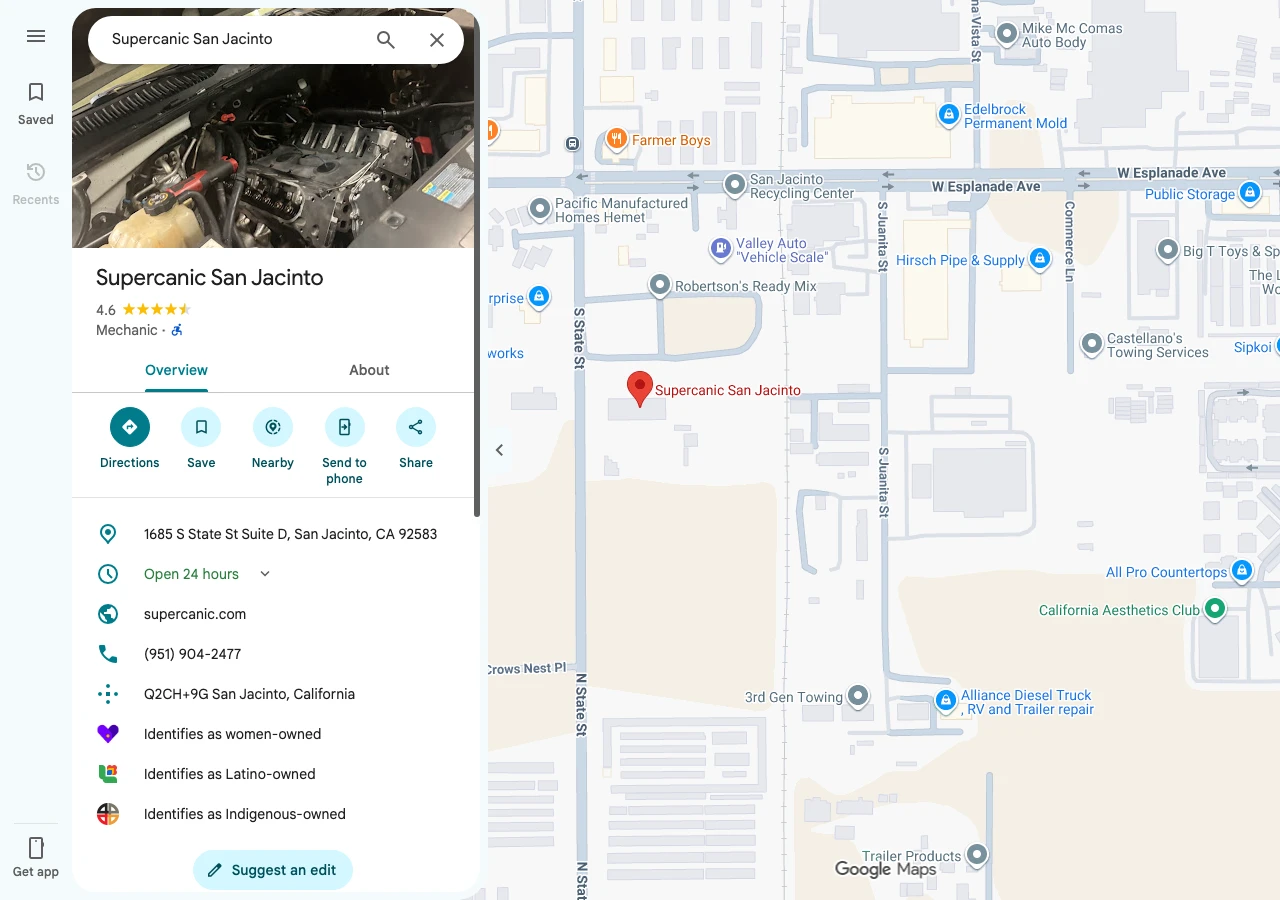
You signed the lease, the movers are booked, and the old sign comes down Friday. Now you're staring at your Google Business Profile, wondering if one edit will wipe out years of reviews and rankings. It won't, as long as you edit the profile you already have instead of making a new one. Google's own rule says a business that relocates should update its existing profile, not start over (Google Business Profile Help). Your reviews stay put. What changes is where you rank, because Google ranks you by distance from the person searching, and you just moved.
What You'll Learn
Know This Going In
- Edit the address on your current profile. A second profile for the new spot counts as a duplicate, and duplicates don't show on Search or Maps.
- After a verified business moves, Google says it has to be verified again. Plan for a few days to a few weeks.
- Most edits show in about 10 minutes. Some take up to 30 days.
- Your reviews stay with the profile. Your rankings move with your new address.
- Fix your website, Apple, Bing and the big directories the same week, so every listing tells Google the same story.
Edit the Profile You Have. Never Start a New One
Picture your profile as the file Google keeps on your business. It holds your reviews, your photos, your history and every call button tap since you opened. When you move, you want that same file to get a new address on the front.
Making a fresh profile for the new building feels cleaner. It's the most common mistake owners make. Google allows one profile per business, and its duplicate page says plainly that a profile flagged as a duplicate won't show on Google Search or Maps (Google Business Profile Help). So the new profile gets filtered, the old one sits at the wrong address, and customers drive to an empty building.
There's one real exception. If you're opening a second location and keeping the first, that's not a move. Each real location with its own staff gets its own profile (Google's guidelines). Supercanic, an auto repair business, runs a separate profile for each of its shop locations, each with its own page and its own local phone number. A move replaces an address. A new location adds one.
How to Change the Address, Step by Step
Sign in with the Google account that owns or manages the profile. Then follow Google's steps from its address help page.
On a computer
- Search your business name on Google, or go to business.google.com, and open your profile.
- Select Edit profile, then Location.
- Next to Business location, select Edit.
- Type the full new street address, with the suite or unit number.
- If Google can't find the address, select Adjust and drag the pin onto your building.
- Select Save.
On a phone
- Open the Google Maps app and tap Business at the bottom right.
- Tap Edit profile, then Location.
- Next to Business location, tap Edit, enter the new address, and tap Save.
Type the address the way it appears on your lease or utility bill. Google asks for the official address only, with no "across from the mall" notes in the address lines. If you work out of a co-working space, Google wants signage, staff on site and in-person service during business hours. A virtual office isn't eligible at all (Google's guidelines).
What Happens After You Hit Save
This is where most moves go sideways. Google's edit page says that if you move a verified business to a new address, you must verify it again (Google Business Profile Help). Until that's done, your new address may not show, and your profile can look stuck.
| Step | What Google says | Source |
|---|---|---|
| Your edit goes into review | Usually about 10 minutes, sometimes up to 30 days | Manage your business address |
| You verify again | A video or info review can take up to 5 business days | Verify your business |
| A postcard is mailed | Most codes arrive within 14 days | Verify your business |
| The code runs out | Codes expire after 30 days | Verify your business |
Google offers video, phone, text, email, live video call and postcard, but not every business gets every option. If video is offered, Google recommends it. A live video call only works during your business hours at that location, so be at the new place with the lights on and the sign up.
Two rules save owners weeks. Don't request a new postcard while one is in the mail. And don't touch your name, address or category while a code is pending (Google Business Profile Help). Every extra edit gives Google another reason to look twice.
Will You Lose Your Rankings After a Move?
Your reviews come with you. Your map rankings depend on where the new building sits. Google names three things it uses to rank local results, which are relevance, distance and prominence (Google Business Profile Help). Your reviews, links and history feed prominence, and those don't move. Distance does.
So the answer depends on how far you're going.
| Your move | What to expect |
|---|---|
| Same street or a few blocks | Little change. The people near you are mostly the same people. |
| Across town | You start showing more to the new neighborhood and less to the old one. |
| A new city | Expect to rank like a newer business in the new area for a while, with your reviews still helping. |
| Storefront to home based | Hide your address and set service areas. You stop showing as a place to visit. |
A dip in the old area isn't a penalty. It's Google doing its job, showing searchers the closest good match. The fix in the new area is the usual work. Real photos of the new spot, fresh reviews from new customers, and a website that names the new city.
What Happens to Your Google Reviews When You Move?
When you edit the address on the same profile, nothing happens to them. They're attached to the profile, not to the street.
Trouble starts when someone made two profiles. Google can merge duplicates. Its help page says merged profiles have their reviews combined, but replies to those reviews may be lost (Google Business Profile Help). So if you made a new profile by mistake, request the merge, then plan to reply to your best reviews again.
Moving a Service Area Business
Plumbers, mobile mechanics, cleaners and other trades that go to the customer play by slightly different rules. Google says a service area business should hide its address and list the areas it serves. Those areas shouldn't reach more than about 2 hours of driving from where the business is based (Google's guidelines).
If you work from home and move houses, the address on your profile still changes, even though customers never see it. Update it, keep it hidden, then check that your service areas still make sense from the new base.
Some local SEO pros take a different path for service area moves. Joy Hawkins of Sterling Sky has written that for service area businesses, a new profile at the new address, with the old one later marked as moved by Google support, can rank faster. She reports seeing the new listing rank within a few weeks (Sterling Sky). That runs against Google's written rule, and Sterling Sky itself suggested keeping the existing profile in a later reply about a business adding a storefront. If you're a typical small shop, follow Google's rule. Edit the profile you have.
Fix the Rest of the Internet the Same Week
Your address lives in dozens of places besides Google. A profile that says Hemet next to a website that still says San Jacinto looks like two businesses. Update these within days of the move.
- Your website. The contact page, the footer, the embedded map and any city pages. If your site uses LocalBusiness schema, change the address there too. Google lists address as a required property (Google Search Central). The post on schema markup for local businesses shows what that code looks like.
- Apple and Bing. Apple Maps feeds Siri and CarPlay, and Bing runs its own map listings. The walk through on adding your business to Apple Maps covers the Apple side.
- The big directories. Yelp, the BBB, Facebook, Nextdoor and your trade association. The post on whether directories and citations still matter lists which ones to start with.
- Your phone number. Keep it. A new number on top of a new address gives Google two changes to sort out at once.
- Your printed stuff. Invoices, email signatures, trucks and the hold message. Customers copy addresses from all of them.
What If Google Still Shows the Old Address?
First, check whether your edit is still in review. Edits can take up to 30 days, and the profile may still need verification. If the Get verified button is showing, the move isn't done yet (Google Business Profile Help).
Second, search Maps for your business name, your old address and your phone number. If an old listing still sits at the old spot, open it, tap Suggest an edit, then Place closed or not here, then Moved to a new location. Pick the new spot on the map and submit (Google Maps Help). If a new business has taken over your old space, Google wants the old listing marked permanently closed instead, and the new business added as its own place (Google Maps Help).
Still stuck after 30 days? Contact Google Business Profile support from inside your profile and ask them to finish the move. Have your new lease or a utility bill ready, with the name and address matching the profile.
Can You Change Your Google Address Before You Move?
Wait until you're open at the new place. Google wants your profile to show your real, current location (Google's guidelines). Verification also checks the new spot. A postcard goes to the new address, and a live video call only works during business hours there. Switch the address on move day, and put a sign on the old door with the new address until the lease ends.
If you want to tell customers early, post an update on your profile and your website saying where you're headed and when. That keeps the address true while you get the word out.
Your Checklist This Week
- Write down your exact new address from the lease, suite number and all.
- Edit the address on your current Google profile on move day. Don't make a new one.
- Finish verification the day Google asks, and leave the profile alone until it's done.
- Change the address on your website, footer, map and schema.
- Update Apple Maps, Bing Places, Yelp, Facebook and the BBB the same week.
- Search your name and old address on Maps, and mark any leftover listing as moved.
- Ask your first ten customers at the new place for a review.
Want someone to handle the whole move, profile and listings and all? See how it works when you work with Anthony, or book a strategy call.
Connected Guides
- Why your business is not showing up on Google
- Local SEO for businesses with more than one location
- Bing Places and Apple Maps, the listings beyond Google
- The Google Business Profile Playbook
Official Sources
- Google Business Profile Help, manage your business address
- Google Business Profile Help, edit your Business Profile
- Google Business Profile Help, verify your business on Google
- Google Business Profile Help, resolve duplicate profiles and ownership issues
- Google Business Profile Help, tips to improve your local ranking
- Guidelines for representing your business on Google
- Google Maps Help, mark a place reopened or closed
- Google Maps Help, edit place information
- Google Search Central, local business structured data
- Sterling Sky, moving a service area business profile
Want my new posts near the top when you search? Pick Anthony Limpert as a preferred source on Google and Google shows them to you more often in Top Stories.