 Anthony
Deleting a Google Business Profile Won't Take It Off Maps
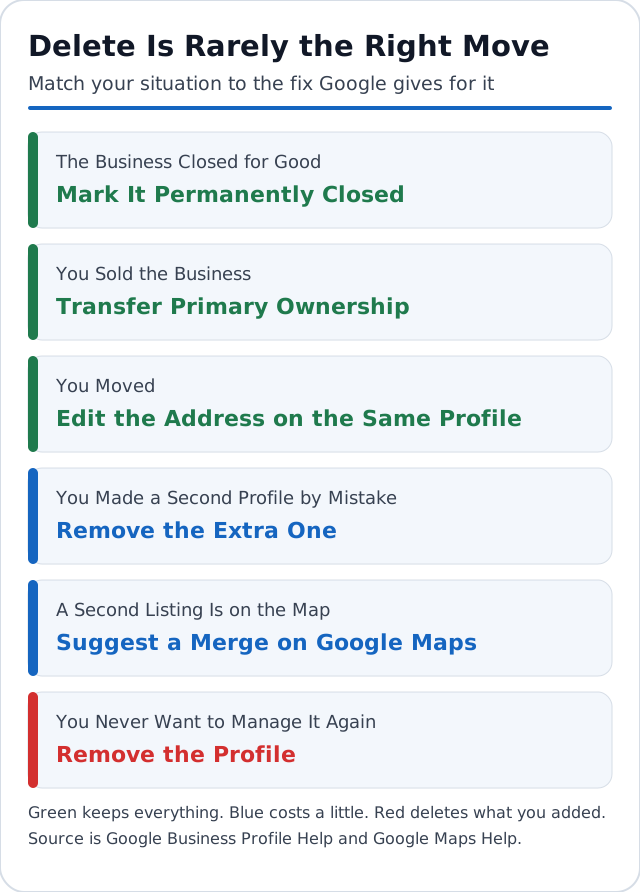
You closed a location, sold the shop, or found a second listing with your name on it. Now you want it gone, so you search for how to delete a Google Business Profile. The delete button is real and it's only a few clicks. It also does less than you think. It removes your access, your posts, your photos and your replies to reviews. The listing and its customer reviews can stay on Google Maps. In most cases a different move fits better, and the right one depends on why you want the profile gone.
What You'll Learn
Know This Going In
- Google calls it Remove Business Profile. It wipes what you added and removes every owner and manager.
- Only the primary owner can do it, and a new owner has to wait 7 days first.
- Customer reviews stay. Google says so on its own help page.
- The business can still show in Search and Maps after you remove the profile.
- Removal is permanent. To manage the listing again you have to verify it from scratch.
- Closed, sold, moved and duplicate each have their own fix, and none of them is delete.
Pick the Right Move Before You Touch Anything
Deleting is the last choice on the list, not the first. Match your situation to the move below, then skip to that section.
| Your situation | The right move | What it costs you |
|---|---|---|
| The business closed for good | Mark it permanently closed | Nothing. The listing shows as closed |
| You sold the business | Transfer primary ownership | Nothing. Reviews stay with the profile |
| You moved | Edit the address on the same profile | Nothing, if you don't make a new one |
| You made a second profile by mistake | Remove the extra one | Only what was on the extra profile |
| A second listing is on the map | Suggest a merge on Google Maps | Replies to reviews may be lost |
| You never want to manage it again | Remove the profile | Your posts, photos, replies and access |
A move is the one people get wrong most. Google's rule is to update the address on the profile you already have and not to create a new one (Google Business Profile Help). The full order of changes is in how to change your business address on Google.
How to Delete a Google Business Profile, Step by Step
If delete is still the right call, these are Google's steps for one profile (Google Business Profile Help).
- Go to business.google.com and sign in with the Google account tied to the profile.
- Select More, then Business Profile settings.
- Select Remove Business Profile, then Remove profile content and managers.
- If the business is closed, turn on the option to mark it permanently closed.
- Select Continue, then Remove, then Done.
For several profiles at once, open Business Profile Manager and tick the ones to remove. Then select Actions, Remove businesses, and Remove. Google notes that if you get an error there, you have to remove each profile one at a time.
Two limits stop most people at step three. Only the primary owner can remove profile content and managers. And a new owner or manager has to wait 7 days before the option works. If you were added to the profile last week, the error you see is the waiting period, not a bug.
What Deleting Leaves Behind on Google Maps
This is where most guides lose the plot. Several say deleting the profile takes it out of Search and Maps and wipes its reviews. Google's page says the opposite on both counts.
What gets deleted is what the owners and managers added. That means your posts, your photos, your videos and your replies to reviews. Google says content from other people, including reviews, stays. It also says the business might still appear on Search and Maps unless it's ineligible, and that removing ownership doesn't guarantee the business won't show up (Google Business Profile Help).
So picture a shop with a hundred reviews. You delete the profile. The pin, the name, the phone number and all hundred reviews can still be there tomorrow. The only things missing are your replies and your ability to answer the next review. You've given up the keys and left the storefront standing.
Google's page says taking a profile off Search and Maps is a separate removal request. The public route sits at the bottom of every listing. On Google Maps, anyone signed in can open the listing, select Suggest an edit, then Place closed or not here, and pick a reason such as Permanently closed, Doesn't exist here or Duplicate of another place. Google reviews those edits before they show, so the change isn't instant (Google Maps Help).
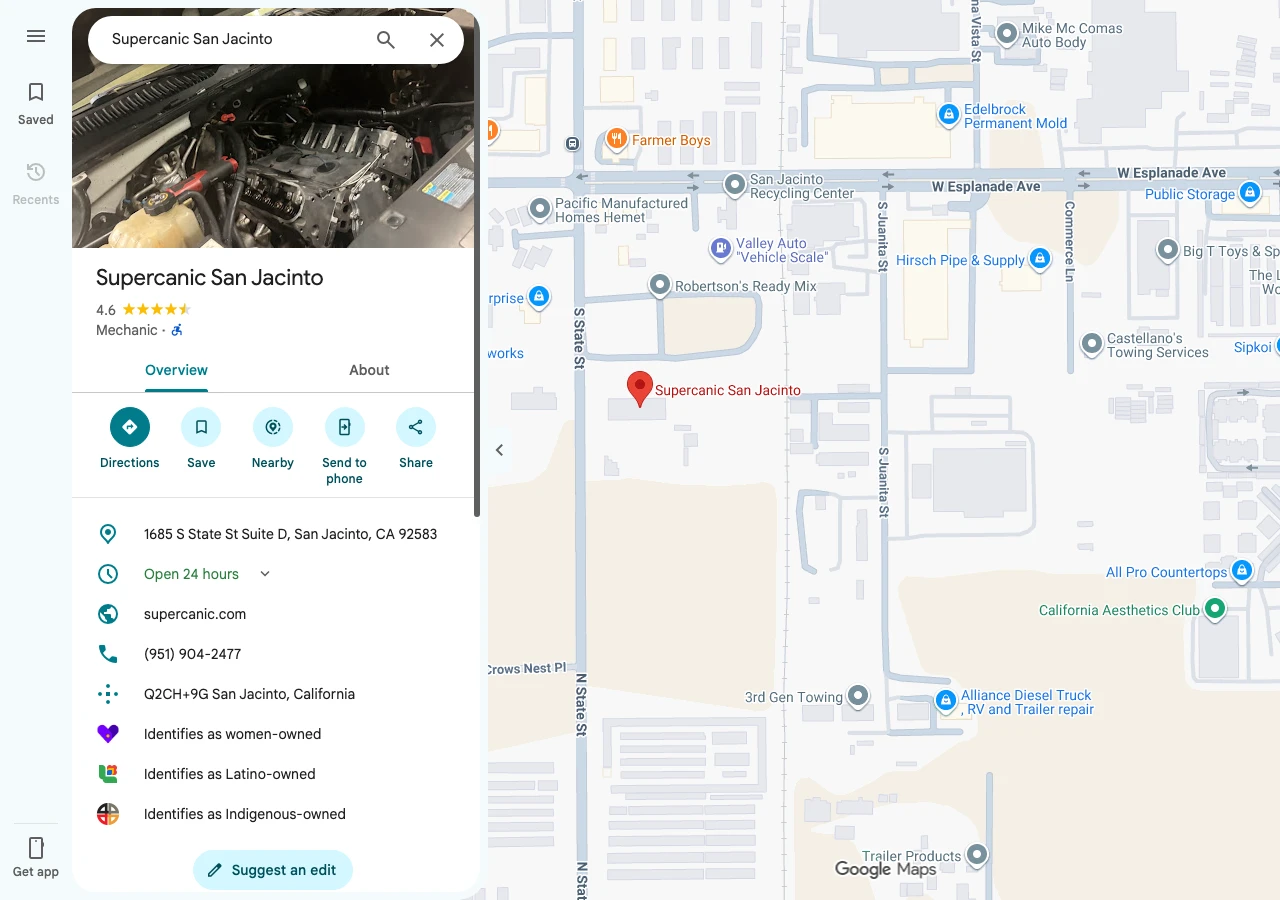
You'll see removal times like 24 hours or two to three days quoted around the web. Google's help pages give no number. Treat any promised timeline as a guess.
When You Sold the Business, Transfer It
A profile with years of reviews is part of what the buyer paid for. Deleting it throws away your replies and forces the buyer to verify again. Hand it over. Google says transferring primary ownership keeps the business info, such as reviews, intact (Google Business Profile Help).
- Add the buyer as an owner under Business Profile settings, then People and access.
- Wait 7 days. A new owner can't be made primary owner inside that window.
- Open People and access again and select the buyer.
- Next to Access, select Edit, choose Primary owner, then Save.
- Remove yourself from the profile once the buyer confirms they're in.
Plan the 7 days into the sale. If closing day is Friday, add the buyer the week before. The same wait blocks a new owner from deleting the profile or removing other owners and managers, which is a good thing if a login ever gets into the wrong hands.
How to Remove a Duplicate Google Business Profile
A business should have one profile. Which fix you use depends on who controls the extra one (Google Business Profile Help).
The duplicate is in your own account. Remove it with the steps above. Google says removing a mistaken duplicate doesn't affect your verified listing. Check the address and the review count twice before you select Remove, because the wrong pick deletes the good profile's content.
Two listings for the same place sit on the map. Suggest a merge on Google Maps. Google reviews every merge request. Reviews get combined, and replies to reviews may be lost. Both listings have to be the same business, and they should show the same info, so fix the name and phone on each one first. A local citation audit is the fast way to find where the wrong details came from.
Someone else owns the other profile. Request access from that owner through Google. The owner has 3 days to respond. If they don't, you may be able to claim the profile, though Google says that option isn't always offered. Often that someone is an old employee or a past marketing company.
One trap to avoid. Don't make one profile per service to cover more searches. Google's guidance is to list every service on one profile.
When Marking It Closed Beats Deleting
If the doors are shut for good, the status does the job and you keep control. Go to business.google.com, select Edit profile, then Hours, and choose Permanently closed. Google says a permanently closed profile may still appear when people search for it, clearly marked as closed (Google Business Profile Help).
That's better for your old customers than a profile with no owner. They see the truth, and you can still reply to a review or point people to your new shop.
Closing for a season is different. Google says to use Temporarily closed when you'll be shut for more than 7 days, and special hours for 7 days or less. It also warns that a temporarily closed business can rank below open ones on broad searches.
Can You Get a Deleted Google Business Profile Back?
No. Google says removal is permanent and removed content can't be recovered. You can claim and verify the listing again if it's still on Maps, and you'll start with none of your old posts, photos or replies. The customer reviews will still be there.
Do Your Reviews Disappear When You Delete the Profile?
No. Customer reviews stay with the listing. Your replies to them are deleted. If the goal is to get rid of an unfair review, deleting the profile won't do it. The paths that work are in how to respond to Google reviews.
Why Is the Remove Option Missing or Showing an Error?
Three causes cover nearly every case. You're a manager and not the primary owner. You were added in the last 7 days. Or you're signed in to the wrong Google account. Check People and access to see your role, and ask the primary owner to act if it isn't you.
How Long Until a Deleted Business Is Off Google Maps?
Google doesn't publish a number. It says a business marked closed fades from results slowly before it's removed, and that removing a profile doesn't guarantee the listing goes away. If the listing is still up after you've removed your profile, use Suggest an edit on the listing itself.
Can a Manager Delete a Google Business Profile?
No. Google limits removing profile content and managers to the primary owner. A manager can remove themselves from a profile, and that's all. If the primary owner is a person you can't reach, the request access process is the way back in.
Your Checklist This Week
- Name your situation from the table before you open the profile
- Check People and access to confirm who the primary owner is
- If you sold, add the buyer now so the 7 day wait starts
- If you closed, set Permanently closed under Edit profile and Hours
- If you still delete, save your photos first, because they can't be recovered
Not sure which move fits a messy listing? Book a strategy call and Anthony will look at the profile with you.
Connected Guides
- How to change your business address on Google
- Why your business is not showing up on Google
- How to do a local citation audit in one afternoon
- How to respond to Google reviews
Official Sources
- Google Business Profile Help, remove a Business Profile from your Google Account
- Google Business Profile Help, add or remove owners and managers and transfer ownership
- Google Business Profile Help, resolve duplicate profiles and ownership issues
- Google Business Profile Help, mark your business as closed
- Google Maps Help, mark a place reopened or closed on Google Maps
Want my new posts near the top when you search? Pick Anthony Limpert as a preferred source on Google and Google shows them to you more often in Top Stories.