 Anthony
 Why Most Small Business Websites Don't Get Calls
Most small business websites don't get calls because nobody can tell, in about five seconds on a phone, what the business does, where it works and how to reach a human. The site is pretty. It just does not do the one job it exists to do. Fix the first screen, the phone number and the speed, and most sites start ringing.
I have been building and auditing local business sites since 2004. The pattern repeats so often that I can usually guess the problems before I open the page. The owner paid for a nice looking site, it launched, and then nothing. They blame Google. The site is almost always the problem, or at least half of it.
Key points
- Most calls come from phones, and a phone visitor decides in seconds.
- The number one leak is a phone number that is not visible, not tappable, or buried.
- Stock photos and vague headlines tell people you might not be local.
- A slow site loses people before they see anything.
- A form is not a substitute for a phone number, but it should work every time.
- Search traffic to a weak page gets wasted. Fix the page before you buy more traffic.
Problem 1. The Phone Number Is Hard To Find
This one is worst, so it goes first. Open your own site on your phone. Do not scroll. Can you see a phone number and tap it?
We audit a lot of local service sites. On the weakest ones the number is only in the footer, or only on a Contact page, or shown as an image that cannot be tapped. A person with a flooded kitchen is not going to hunt for it.
The fix is simple.
- Put the number at the top of every page, as a link that starts a call.
- Add a sticky Call button on mobile that stays on screen as people scroll.
- Make the number big. If you have to squint, it is too small.
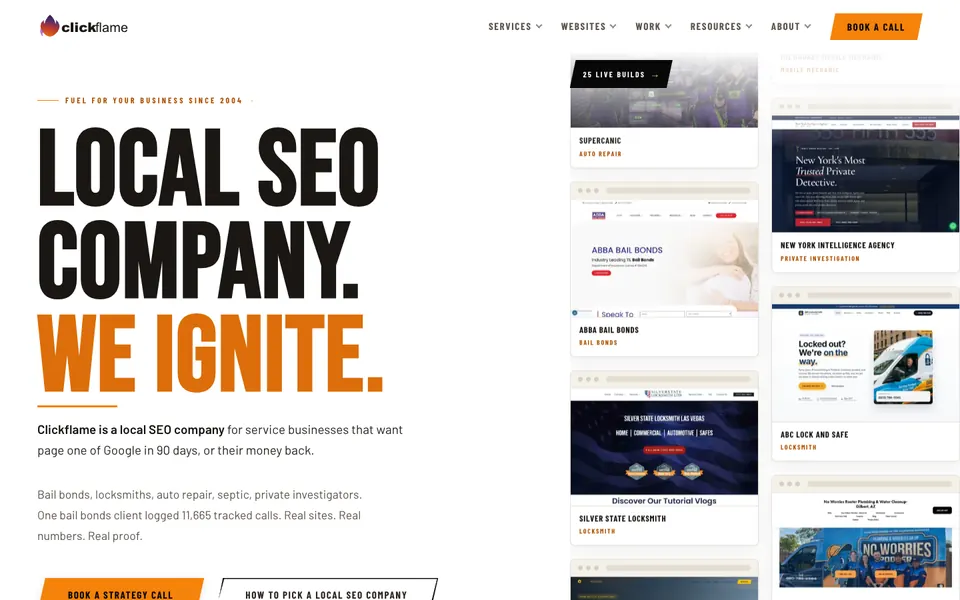
Look at the top right of almost every site we build. The call button is orange, big and always there. That is on purpose.
Problem 2. The First Screen Says Nothing
The first screen is everything you see before scrolling. It should answer three questions fast: what do you do, where do you do it, and what should I do next?
A weak first screen says "Welcome to Smith & Sons. We are committed to excellence." It could be any business in any city.
A strong first screen says "Mobile mechanic in Riverside. Same day. Call or text for a price." Anyone can understand that in two seconds.
Write the headline like you are talking to a customer at the door. Use the trade and the city. Add one proof point, like a review count or a warranty. Then give them the button.
Problem 3. Stock Photos And No Proof
People can spot stock photos. A man in a clean uniform shaking hands in front of a house tells them nothing about your company.
Real photos beat stock almost every time. Your crew, your truck, your shop, a finished job. They do not have to be perfect. They have to be yours.
Proof matters just as much. Reviews, license numbers, years in business, warranties, named staff. When we build for a shop we put the real crew photo and the review count right on the first screen. A visitor who sees real people trusts faster.
Problem 4. The Site Is Slow
A page that takes six seconds to load on a phone loses people before the headline appears. The usual culprits are huge photos, a pile of plugins and a bloated theme.
Use a compressed image format like WebP, size photos for the screen they show on, and cut plugins you do not use. I wrote a plain English guide on this: website speed for local businesses.
Problem 5. One Page Tries To Sell Everything
A home page that lists twelve services in the same size text sells none of them. Visitors cannot tell what you are best at.
Give each money service its own page. A plumber should have a page for water heaters and a page for drain cleaning. A page for each lets Google match you to those searches and lets the visitor see exactly the thing they came for. Your home page can then route people to the right place.
Problem 6. Forms That Fail Quietly
Here is a quiet killer. The contact form looks fine. It never sends. Or it sends to an inbox nobody checks. Or the spam filter eats it.
We have found forms on audits that had been broken for months. The owner just thought it was a slow year.
Test your form every month.
- Fill it out from your phone.
- Check that it lands in your inbox and also in a second place.
- Make sure someone answers fast. A lead that waits a day is half gone.
Keep the form short. Name, phone and what they need. Every extra field costs you leads.
Problem 7. You Cannot Tell Where Calls Come From
If you do not track calls, you guess. A site can be doing fine while you think it is failing, or the reverse. I cover how to measure this in call tracking for local businesses.
How These Problems Compare
| Problem | How common in our audits | Time to fix | Impact |
|---|---|---|---|
| Phone number hidden or not tappable | Very common | 30 minutes | High |
| Vague first screen | Very common | 1 to 2 hours | High |
| Stock photos, no proof | Common | A morning with a camera | Medium to high |
| Slow pages | Common | 1 to 3 hours | Medium to high |
| One page for every service | Common | A few days | Medium |
| Broken forms | Less common, but costly | 20 minutes | High |
| No call tracking | Very common | 1 hour | Indirect |
These are my own impressions from audits, not a formal study. Your site may differ. But if you work through the list top to bottom, you will fix the worst problems first.
Do This Before You Spend On Ads
I see owners pay for ads and send the clicks to these same weak pages. That is like buying a bigger billboard for a shop with a locked door. Fix the page first. Then every dollar of traffic works harder.
A good test. Hand your phone to a friend who does not know your business. Give them five seconds on your site, then ask what you do, where, and how they would contact you. If they cannot answer, neither can a stranger.
If you want to see what a fixed first screen looks like, browse our designs or look at work we have shipped. You can also book a strategy call and I will go through your own site with you.
Questions
How many calls should a small business website get?
It depends on the trade, the city and how much search traffic you have. A better question is what share of your visitors call or fill out a form. If you have steady traffic and almost no contacts, the page is the problem.
Is it better to have a contact form or a phone number?
Both, but lead with the phone number for urgent trades like plumbing, locksmith and auto repair. Many people want to talk to someone right away. Offer text and a short form for those who do not.
Do I need a new website or can I fix mine?
Often you can fix the first screen, the number, the photos and the speed on the site you have. If the site is built on a slow theme or cannot be edited, a rebuild may be cheaper than fighting it.
Why does my site get traffic but no calls?
Usually the page does not match what the visitor wanted, the number is hard to find, or the site is slow. Check those three before you buy more traffic.
Want my new posts near the top when you search? Pick Anthony Limpert as a preferred source on Google and Google shows them to you more often in Top Stories.