 Anthony
 How To Write Service Area Pages That Aren't Doorway Pages
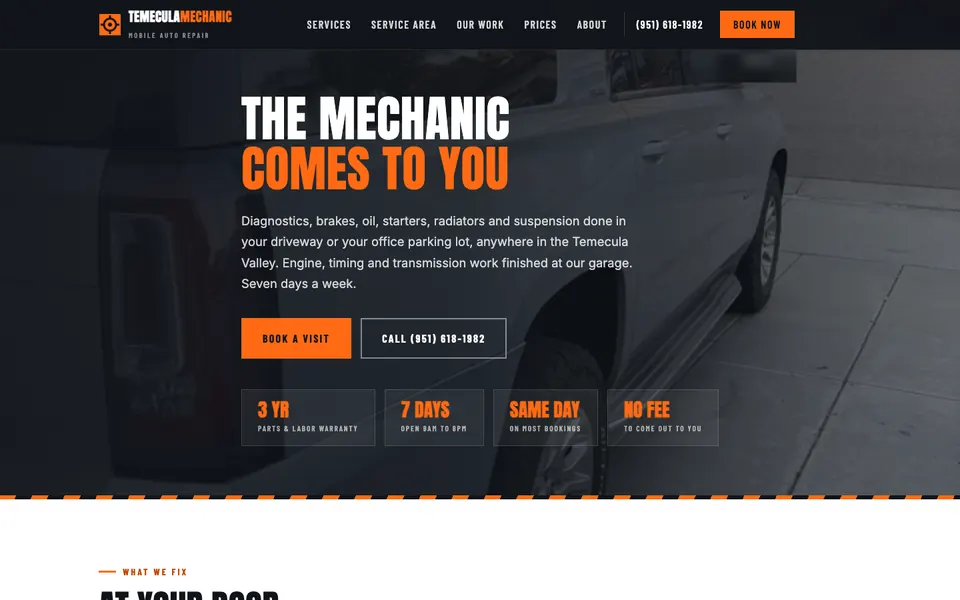
A good service area page is a real page about real work in one place, with details a competitor cannot copy: the neighborhoods you drive to, jobs you did there, local rules or conditions, your actual photos and a clear way to reach you. A doorway page is the same template with the city name swapped out. Write the first kind, or do not write the page.
We build a lot of location pages, and we audit a lot of other people's. The same mistake shows up everywhere: forty pages named "Plumber in Town A," "Plumber in Town B" and so on, each with the same three paragraphs. Google has a name for that, and it is not a nice one.
Key points
- Google's spam policies define doorway abuse as many similar pages built to rank for variants of a search that all lead to the same place.
- Only make a page for an area you truly serve and can show proof for.
- Each page needs facts unique to that place, not just the city name.
- Use real photos and real jobs. Never invented ones.
- One page per real market beats fifty pages per suburb.
- If you have a physical location, give it its own page and its own number.
What Counts As A Doorway Page
Google's documentation describes doorway pages as sites or pages made to rank for specific, similar searches, that funnel the visitor to the same place and add little value on their own. Typical signs:
- Many pages with nearly identical text
- Only the city or zip code changes
- Pages that exist for search engines, not for visitors
- No way to tell the business has ever worked there
Google has said for years that this violates its spam policies. The risk is pages being ignored or demoted, and in bad cases a manual action.
Does That Mean City Pages Are Bad?
No. People search by city, and a useful page for a real service area is fine. Google's own guidance is about value and honesty. The test I use:
If I removed the city name, would the page still be useful to a person in that city? And would it still be different from the next city's page?
If the answer to either is no, the page is thin.
Step 1. Decide Which Areas Deserve A Page
Not every suburb needs one. Make a page when all three are true:
- You actually serve the area regularly.
- People there search for what you do.
- You have something specific to say.
Start with your core cities. Add pages one at a time as you collect real material. Ten strong pages are worth more than a hundred weak ones.
Step 2. Fill It With Facts Only You Have
This is the part that separates a real page from a doorway.
| Add this | Example |
|---|---|
| Neighborhoods you serve | Named areas, nearby landmarks, major roads |
| Real jobs in that area | A short note about a job type you do there often |
| Local conditions | Hard water, hot summers, hillside driveways, older homes |
| Local rules | Permits, inspections, smog rules, parking limits |
| Drive time and hours | How fast you arrive from your shop or base |
| Local reviews | Reviews from customers in that area, with permission |
| Your photos | Your truck, your crew, finished work |
Do not invent any of it. A made up "recent job on Maple Street" is worse than leaving it out. If you do not have material yet, hold the page.
Step 3. Write For The Person, Not The Search Box
Lead with what the visitor needs: what you do there, how fast, what it costs or how pricing works, and how to reach you. Then add detail.
A structure that works:
- Opening answer. "We repair brakes, batteries and starters at your home or work in Temecula, usually same day."
- Services in that area. The few that matter most.
- Where we go. Neighborhoods and nearby cities.
- Why locals call us. Proof, reviews, warranty.
- Pricing or how we quote.
- A short FAQ with local questions.
- Call and text buttons.
Notice there is no keyword stuffing. Use the city name naturally, where a person would say it.
Step 4. One Number Per Real Location
If a location has its own shop, give it its own page and its own phone number, and match that number on its Google Business Profile. For our Supercanic shops, each location gets its own number and its own page. That keeps listings consistent and tells you which location got the call.
If you are a service area business without a storefront, do not make up an address. Google's guidelines require a real address for a location listing, and fake ones get profiles suspended. Hide your address and set a service area instead. See how to pick your primary category for profile setup.
Step 5. Link Pages Like A Human Would
Link from your home or services page to the city pages, and from each city page back to the main service pages. Do not build a giant footer of fifty city links on every page, which is a classic spam pattern. A single "Areas we serve" page with a clear list and links works better.
Step 6. Check The Pages Against Each Other
Before you publish, put two city pages side by side. Read them. How much text overlaps? If you could swap the city name and nobody would notice, rewrite one.
A simple rule I follow. At least half of each page should be material that would not make sense on any other page.
Doorway Page Checklist
| Question | Pass | Fail |
|---|---|---|
| Do you actually serve this place? | Yes | You only want to rank there |
| Is there local detail? | Neighborhoods, jobs, conditions | Only the city name |
| Is the text unique? | Mostly different | Copy with swaps |
| Are the photos yours? | Yes | Stock or none |
| Is there a way to act? | Call, text, form | Dead end |
| Would a human want this page? | Yes | It exists for search only |
What About AI Written Pages
Using AI to draft is not the problem. Publishing unedited, repeated output is. Google's policy on scaled content abuse targets many pages made mainly to rank, however they are produced. If you use AI, feed it your real facts, edit hard, and add your own photos and detail. Then read it as a customer.
A Realistic Plan
- List the five to ten places that bring or could bring you real business.
- Collect two or three real facts and photos for each.
- Write one page a week.
- Link them clearly and add them to your sitemap.
- Check Search Console after a month to see what Google does with them.
If you want a hand with a set of location pages, you can book a strategy call. It also helps to know what changed in local SEO when planning them.
Questions
How many service area pages should I have?
As many as you have real material for. For most local businesses that is somewhere from a handful to a dozen. Add more only when each one can stand on its own.
Is it okay to reuse the same text with a different city name?
No. That is the classic doorway pattern. Write each page around that place's details, even if some sections repeat.
Can I rank in a city where I have no office?
Sometimes, if you genuinely serve it and the page proves it. Competition from businesses with a local address is tougher, and you cannot make up a location to fix that.
Should service area pages have their own phone number?
If it is a separate physical location, yes. For a single business serving many cities, one main number is fine as long as it matches your profile.
Want my new posts near the top when you search? Pick Anthony Limpert as a preferred source on Google and Google shows them to you more often in Top Stories.